FORM / SKETCH TO JEWELRY / 6 MINUTES
Four circles.
One piece worth keeping.
Make the Orbit pendant with Form’s sketch and precision CAD tools. Explore the drawing, follow the solid operations, then keep an editable version.
04 / Make it yours
Try a size, compare the proportions and keep the editable source.
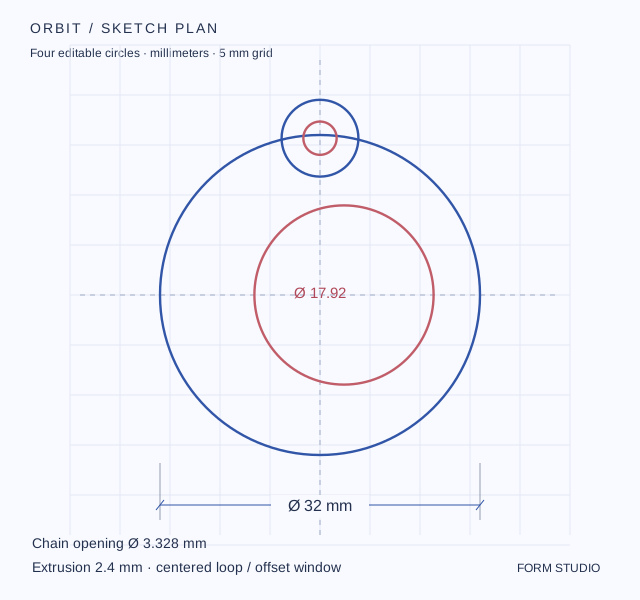
The project keeps four sketch circles, four extrusions, one Fuse and one Cut.
Loading the CAD preview…
The nine prepared variants were rebuilt with Form’s exact CAD engine. The preview displays those solids and uses its own lighting. Choose a new diameter or depth to load the matching drawing and files.
Keep the drawing. Keep the decisions.
The Form project preserves the four circles, the concentric loop relationship, the drafting dimension, and the extrusion / Fuse / Cut history.
Download the .form file, then choose Open project in Form. DXF keeps editable 2D circles; STEP keeps the CAD solid; STL is a triangle mesh. This is a design study—confirm fit, finishing and production details before making a physical piece.
THE FINISHED STUDY
An offset makes it yours.
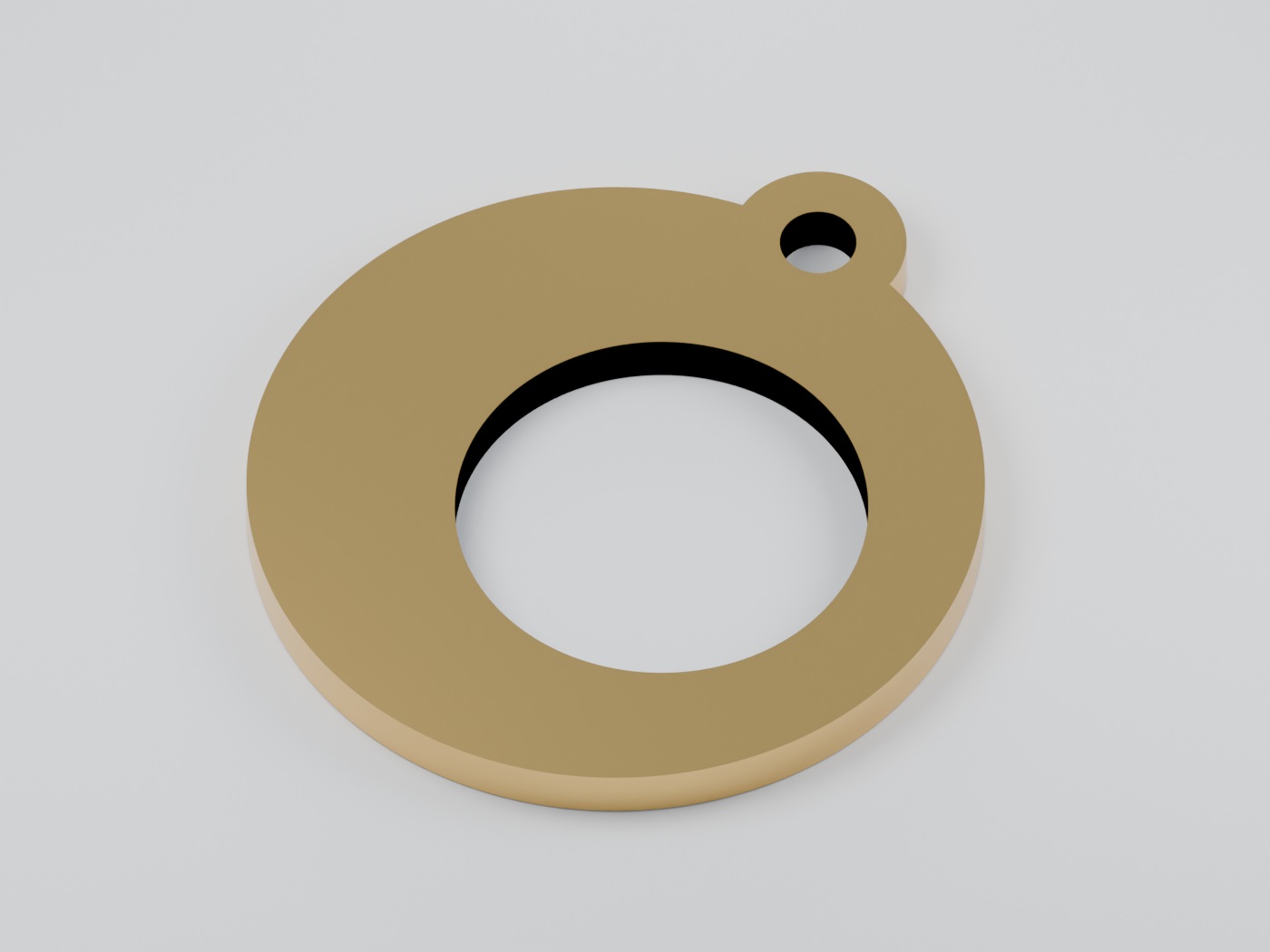
Rendered from the 32 × 2.4 mm CAD model. The window sits 2.4 mm off center to give the ring a changing width.
YOUR SKETCH RECIPE
Every curve has a job.
| Profile | Center x, y | Diameter |
|---|---|---|
| Pendant outline | 0, 0 | 32 mm |
| Chain loop | 0, 15.68 | 7.68 mm |
| Offset window | 2.4, 0 | 17.92 mm |
| Chain opening | 0, 15.68 | 3.328 mm |
The two loop circles share a center. The window has its own offset, so its position can be revised independently in the sketch.
Try one change.
Start with 32 × 2.4 mm. Compare the 28 mm version, then increase the extrusion to 3.2 mm. Keep the camera still to judge the new proportions.
Finish presets are visual studies and do not specify an alloy or manufacturing process.
CONTINUE IN FORM
The same project. Inside the real app.
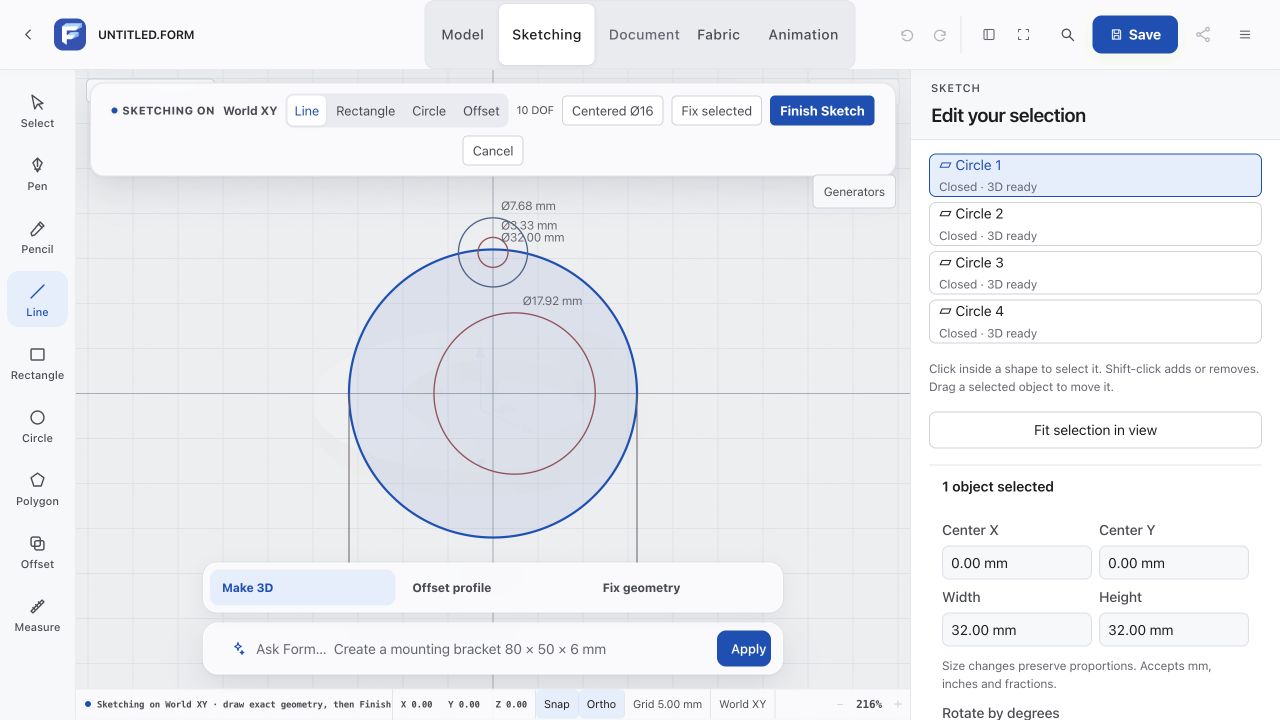
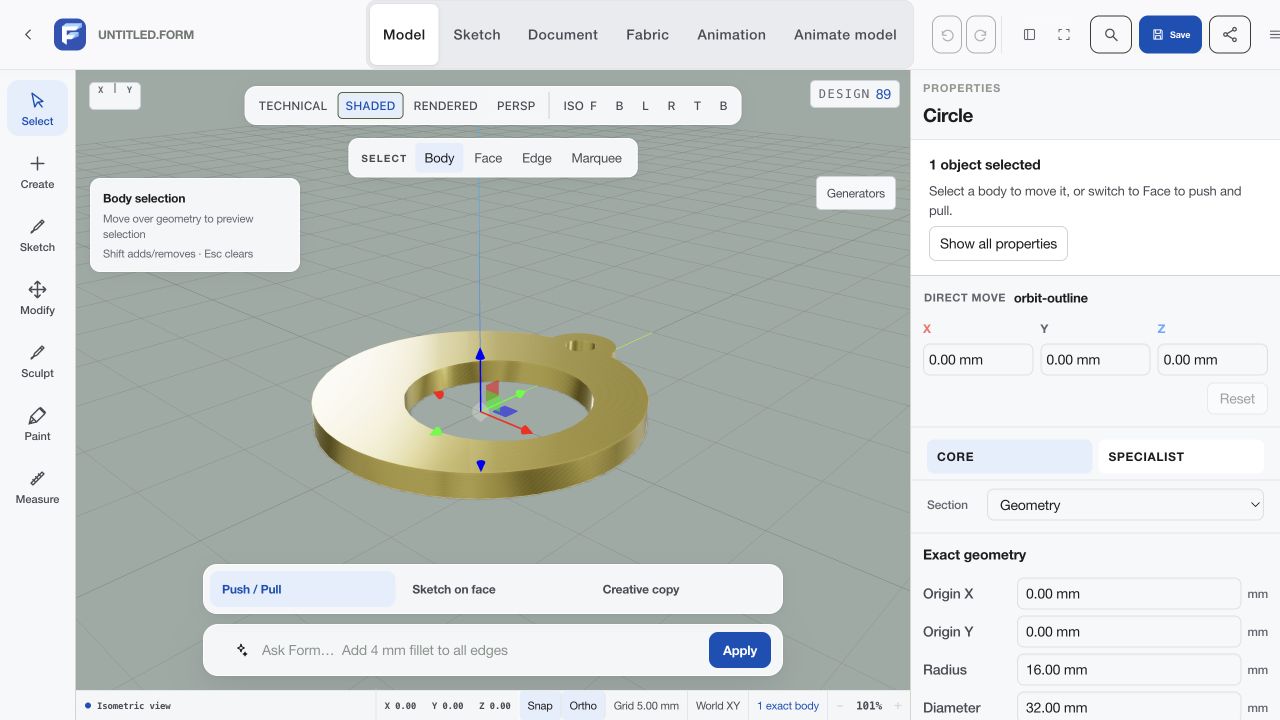
Rebuild the sketch in Form
Use these commands one at a time in Form’s CAD command field. Coordinates and diameters follow the selected size.
circle diameter 32 mm at 0, 0
circle diameter 7.68 mm at 0, 15.68
circle diameter 17.92 mm at 2.4, 0
circle diameter 3.328 mm at 0, 15.68
- Choose millimeters and the World XY sketch plane.
- Create the four circles. Keep the outline and loop on one layer; place the window and chain opening on a cutout layer.
- Extrude all four profiles to the selected depth.
- Select the outline and outer loop bodies and use Fuse.
- Select the joined blank first, then the window and chain tool bodies. Use Cut.
- Inspect the result from the front and side. Save the .form project before exporting the CAD solid.